It’s no doubt the Google reviews are one of the largest influencers on driving leads to your radon testing and mitigation business. In fact, optimizing the Google My Business page and obtaining real and legitimate reviews has contributed to 31 new leads for one of my clients in the last 6 months.

BEFORE YOU START
In order to set up this process, you must already have a claimed Google My Business page. If you don’t already have a page or don’t have ownership of it, get access before proceeding.
1. GET YOUR REVIEW LINK
You’ll want to ask your customers for reviews. There are three reasons customers will not leave a review: 1) They forgot to leave a review, 2) It wasn’t easy to leave a review or 3) They don’t feel comfortable leaving a review (least common). We can solve obstacles #1 and #2.
In order to make it as easy as possible for your customers, you’ll want to get a URL that you can send to them. All the customer will have to do is click on the link.
To get this link, sign in to your Google My Business account and go to your profile. On the “Home” tab, find the “Get more reviews” box and click “Share review form”.
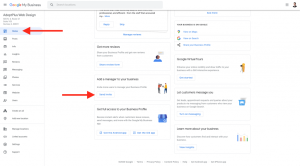
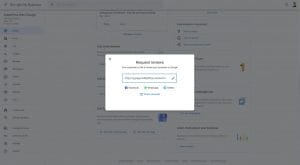
Clicking the “Share review form” will give you a popup with a link (see pictured below). Copy this link.
2. SEND YOUR CUSTOMERS AN EMAIL REQUEST
Send the customer a request for a review. A few things to remember:
- It is important to show the customer how their review will help others. This social contribution will motivate them to leave a review.
- Google’s policy state that you cannot influence the rating of the review. Keep the request neutral. For example: do not say, “Please leave us a 5-star review”.
- Keep your message short and simple.
After you complete a project or if a customer gives you feedback, you should send them an email requesting this review. Here’s a template to use. Feel free to make it your own and be sure to change out the names and links.
Hi [Client Name],
I really appreciate you allowing us to serve you in testing your home for radon.
If I could ask a favor — would you mind leaving us a quick review on Google? It helps others understand what it is like to work with us. Here’s the direct link. Thank you in advance…
Thank you,
– [Your Name]
3. AUTOMATE IT (OPTIONAL)
To make it easier, automate this email that you are sending to customers. We suggest integrating this into your CRM (customer relationship management).
We use HubSpot and ActiveCampaign to either completely automate the process or partially automate the process. A few examples:
- In the CRM, when you change the Project in the pipeline from “In Progress” to “Project Completed”, automatically send them the email.
- When you complete add an email address to the tool, automatically send them an email.
If you have any questions or would like assistance to obtain more business for your radon business, request a strategy call today!
FAQs
SHOULD I RESPOND TO GOOGLE REVIEWS (GOOD AND BAD)?
Yes. Responding to reviews shows potential customers that you are active in listing to customer feedback.
I RECEIVED A BAD REVIEW, HOW SHOULD I REPLY TO IT?
Bad reviews happen to everyone! What matters is not the review itself, but how you handle responding to the review.
- If the review was legitimately a bad review: apologize and try to make it right and offer your contact information. Keep in mind: the people reading this will be your future potential customers. For example, “We’re so sorry you had a less than great experience with us. I’d like to make this right with you. Can you please contact me at X? Again, we’re sorry about your experience!”
- If the review was from an employee: flag it and mark it as “Conflict of Interest”. According to Google’s policies, employees leaving a review (good or bad) is a conflict of interest.